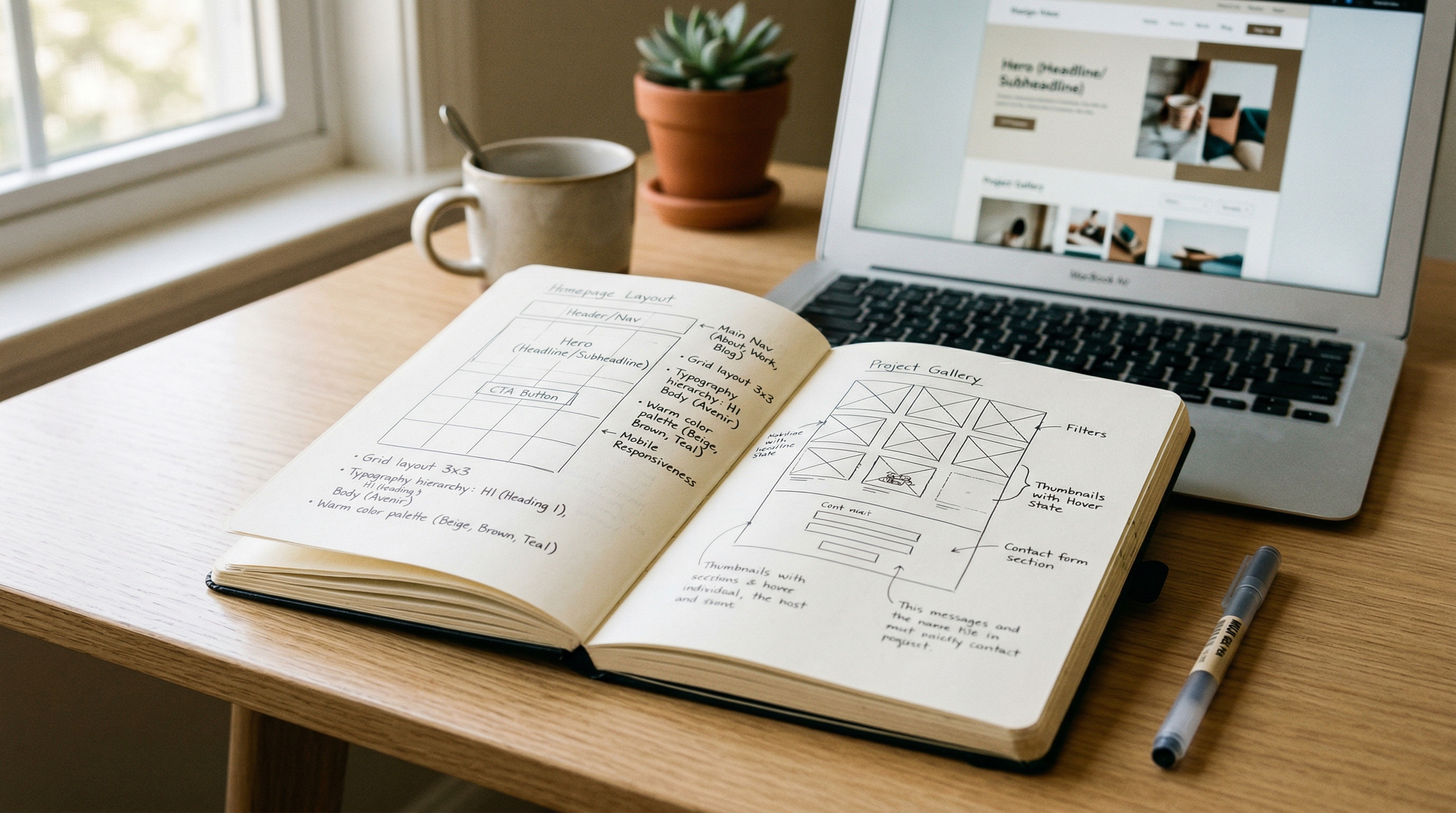
You hired a web designer. You told them to "make it modern and clean." Two weeks later they sent you a homepage with a purple gradient, stock photos of people shaking hands, and a hero that says "Innovative Solutions for Your Business."
That's not a design problem. That's a brief problem.
Most small business owners skip the website brief entirely, or write one so vague that any designer could interpret it six different ways. Then they're surprised when the result doesn't match the thing they pictured in their head but never actually described.
A strong brief doesn't take long to write. It just requires answering the right questions before the project starts, not after three rounds of revisions.
What Is a Website Brief?
A website brief is a short document that tells your web designer or agency what you need, who it's for, and what success looks like. It's the single reference point for every design and content decision on the project.
Think of it as a creative constraint document. Without it, your designer is guessing. With it, they're executing against a shared understanding of what "good" looks like for your specific business.
A brief is not a scope of work. That's what your website proposal covers. The brief is your input to that process. It's what you hand the agency before they write the proposal, so the proposal actually reflects your business instead of a generic template.
Why Most Briefs Fail
The typical website brief from a small business owner looks something like this:
"We need a professional website. Modern design. Show our services. Make it easy for people to contact us. Here's our logo."
That tells a designer almost nothing. "Professional" means something different to a law firm than it does to a barbershop. "Modern" could mean minimalist white space or bold maximalist color. "Easy to contact" could mean a form, a phone number in the header, a chatbot, or a WhatsApp link.
Vague briefs create a cycle: the designer makes assumptions → you don't like the result → you request changes → they charge for revisions → the project takes twice as long and costs more than it should have.
The fix isn't writing a 20-page document. It's answering nine specific questions.
The 9 Questions Your Website Brief Should Answer
1. What does your business actually do?
Not your elevator pitch. The literal explanation. What service do you provide, for whom, and in what geography? A designer who understands that you're a tile installer serving Monmouth County homeowners will make fundamentally different choices than one who thinks you're a "home improvement solutions provider."
Include: your services (ranked by revenue or priority), your service area, your typical customer, and what makes your approach different from competitors.
2. Who is this website for?
Not "everyone." Your primary audience. Are they homeowners looking for a contractor? Business owners comparing agencies? Patients searching for a specialist? HR managers evaluating software?
The more specific you are, the better the design decisions. A website for busy restaurant owners needs big fonts, fast load times, and a phone number above the fold. A website for enterprise buyers needs case studies, security badges, and a demo booking flow.
3. What should visitors do on this site?
Pick one primary action. Not three, not five, one. Everything else is secondary.
- Call you: phone number prominent, click-to-call on mobile
- Fill out a form: short, above the fold, minimal fields
- Book an appointment: calendar integration, self-service scheduling
- Request a quote: multi-step form with project details
If you can't pick one, ask yourself: "If this website only generated one type of lead, which one would we want?" That's your primary CTA.
4. What pages do you need?
List them. A typical small business site needs 5-8 pages:
| Page | Purpose | |------|---------| | Home | First impression + primary CTA | | About | Trust and credibility | | Services | What you offer (individual pages if 3+ services) | | Portfolio/Gallery | Proof of work | | Contact | Conversion page | | Blog | SEO and authority building | | FAQ | Objection handling + AEO optimization |
Don't add pages "just in case." Every page that exists needs a purpose and content to fill it.
5. What websites do you like, and why?
This is the most useful thing you can include. Link to 3-5 websites you admire and explain what you like about each one. Be specific:
- "We like the dark background and bold typography on this roofer's site"
- "The way this contractor shows before/after photos in a grid: we want something like that"
- "This site feels premium even though it's a simple business. That's the vibe we want"
Saying "we like this site" without saying why is almost useless. The thing you like might be the font, the layout, the photography, or the color scheme, and your designer can't read your mind.
6. What websites do you NOT like?
Equally important. Show your designer what to avoid. "We don't want it to look like a template" is vague. "We don't want a white background with blue accents and stock photos: half the contractors in our area look like that" is useful.
7. What content do you already have?
Be honest about this. Do you have:
- Professional photos of your work/team/space?
- Written copy for your services?
- Testimonials or reviews from clients?
- A logo in vector format (SVG or AI)?
- Brand colors or guidelines?
If the answer is "no" to most of these, that's fine, but your designer needs to know upfront so they can plan for content creation or AI-generated assets rather than discovering the gap mid-project.
8. What's your budget and timeline?
Don't hide this. Agencies price differently, and knowing your range helps them propose a solution that fits rather than over-engineering something you can't afford. A $3,000 budget gets a different site than a $10,000 budget. Both can be excellent, but the scope changes.
For context on what websites actually cost, read our small business website pricing guide.
Timeline matters too. "We need this for a grand opening on April 15th" is a real constraint that shapes the project. "Whenever it's ready" means it'll take three months.
9. What does success look like in 6 months?
This forces you to think beyond launch day. Are you trying to:
- Rank on Google for "[your service] + [your city]"?
- Get 10 leads per month through the contact form?
- Replace an outdated site that's embarrassing to send people to?
- Launch an e-commerce store before the holiday season?
Your answer shapes the technical decisions. SEO goals mean the site needs local SEO infrastructure from day one. Lead generation goals mean form placement and conversion optimization matter more than visual wow factor.
A Simple Template You Can Copy
Here's the condensed version. Fill this out and send it to your designer:
Business name: What we do: Service area: Primary customer: Primary website goal (one action): Pages needed: Sites we like (with reasons): Sites we don't like (with reasons): Existing content (photos, copy, logo, reviews): Budget range: Target launch date: 6-month success metric:
That's it. One page. Takes 30 minutes. Saves you weeks of back-and-forth and hundreds in revision costs.
What Happens After the Brief
A good agency takes your brief and turns it into a detailed proposal with scope, timeline, and pricing that directly references the goals and constraints you outlined. If their proposal doesn't mention your brief, they didn't read it, and that's a red flag.
At Current Digital, every project starts with a brief conversation. We walk through these questions with you on a short call, document the answers, and confirm alignment before any design work begins. No assumptions, no surprises, no "that's not what I meant" moments three weeks into the build.
Ready to start? Get in touch. We'll help you nail the brief before a single pixel gets designed.